Free extension for SketchUp 2027
From SketchUp model to production file.
Nomenexa reads your model and lists every part, its quantity, material and dimensions. You complete, check and validate; the workshop gets a clear production file.
How it works
From the model to the file, in five steps
-
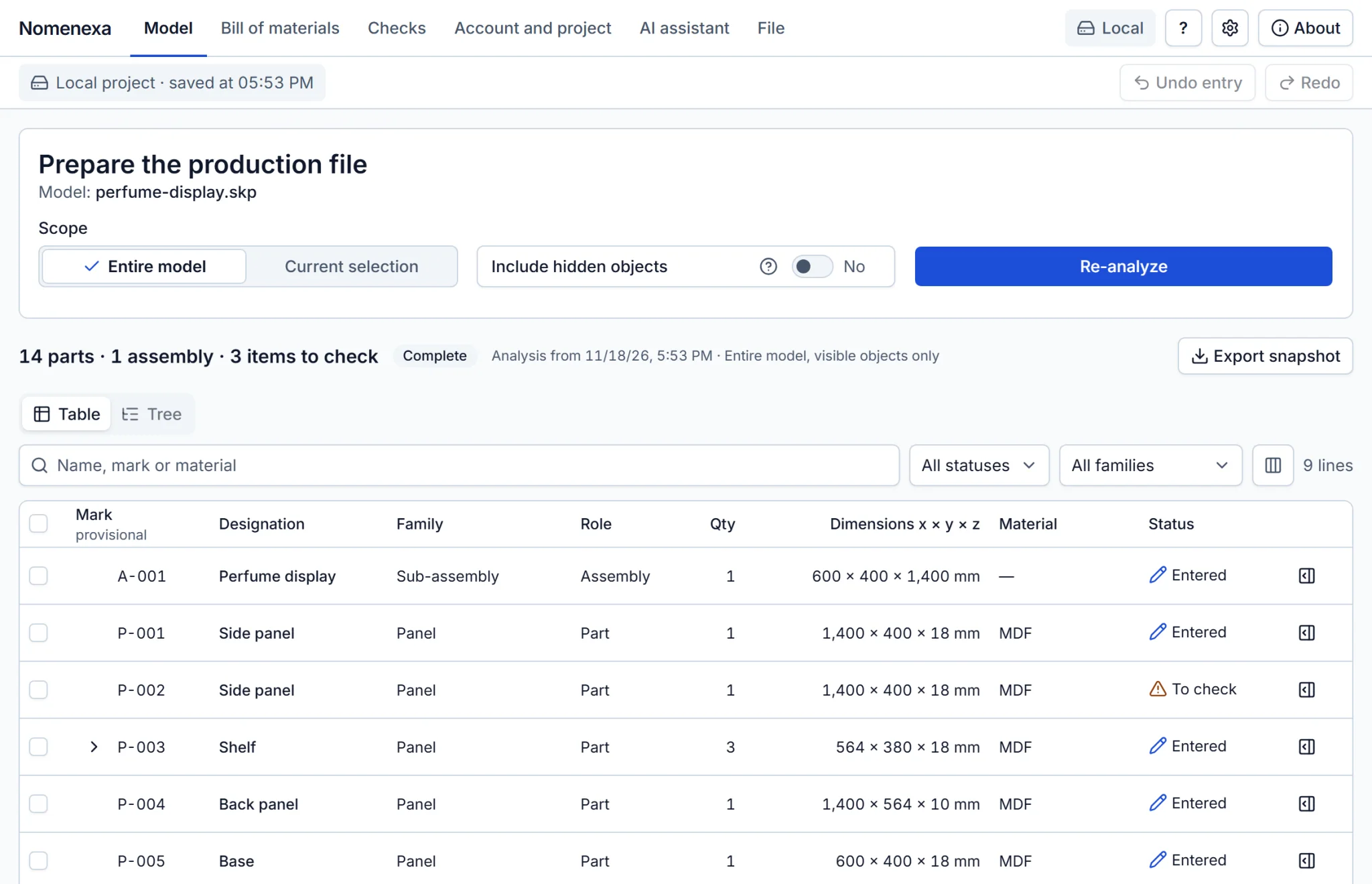
Analyze the model
Nomenexa reads every group and component: name, material and bounding-box dimensions. The model is never modified or saved.
-
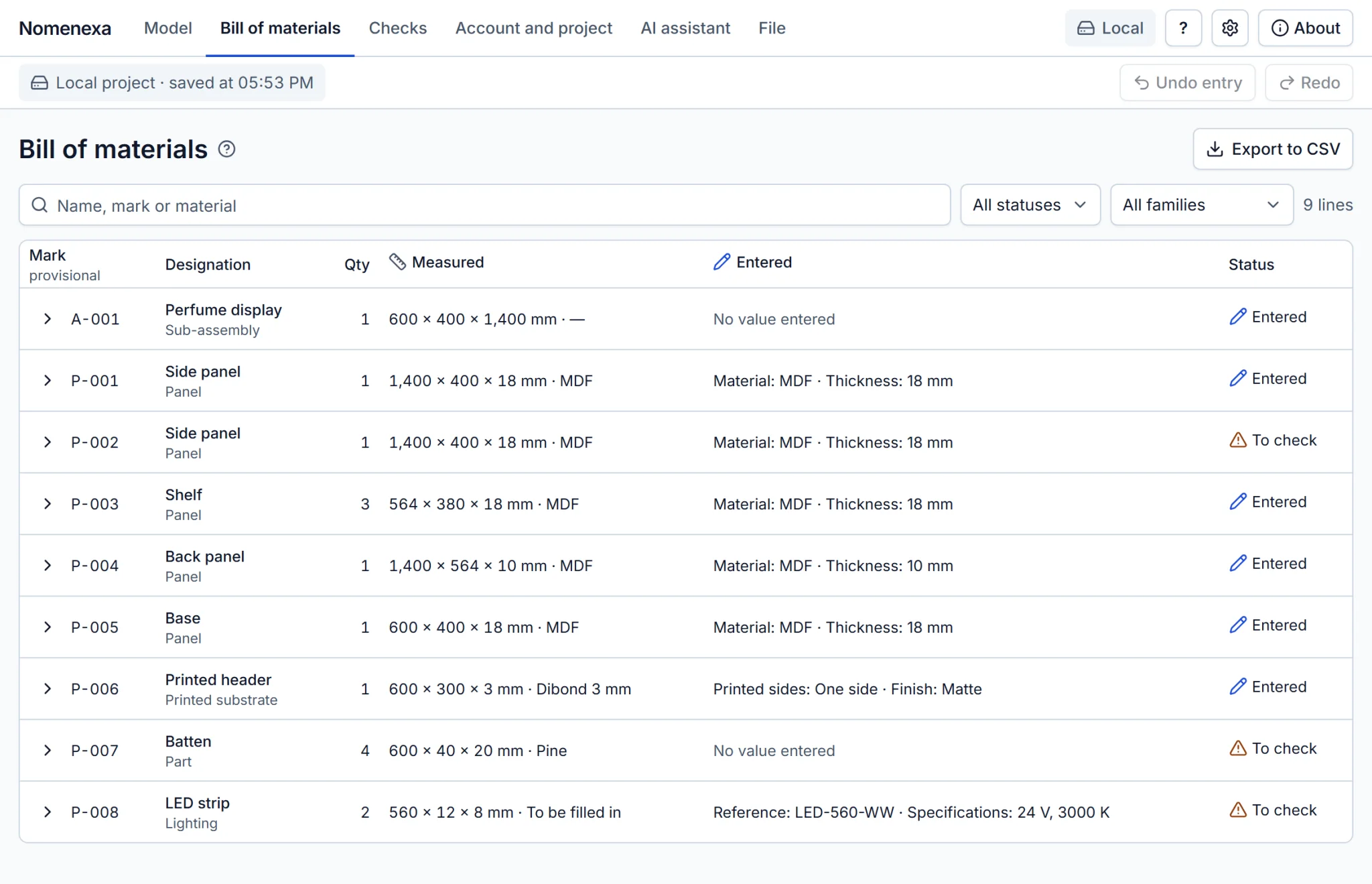
Review the bill of materials
Identical parts become one line with its quantity. What was measured and what you enter stay side by side: thickness, finish, references.
-
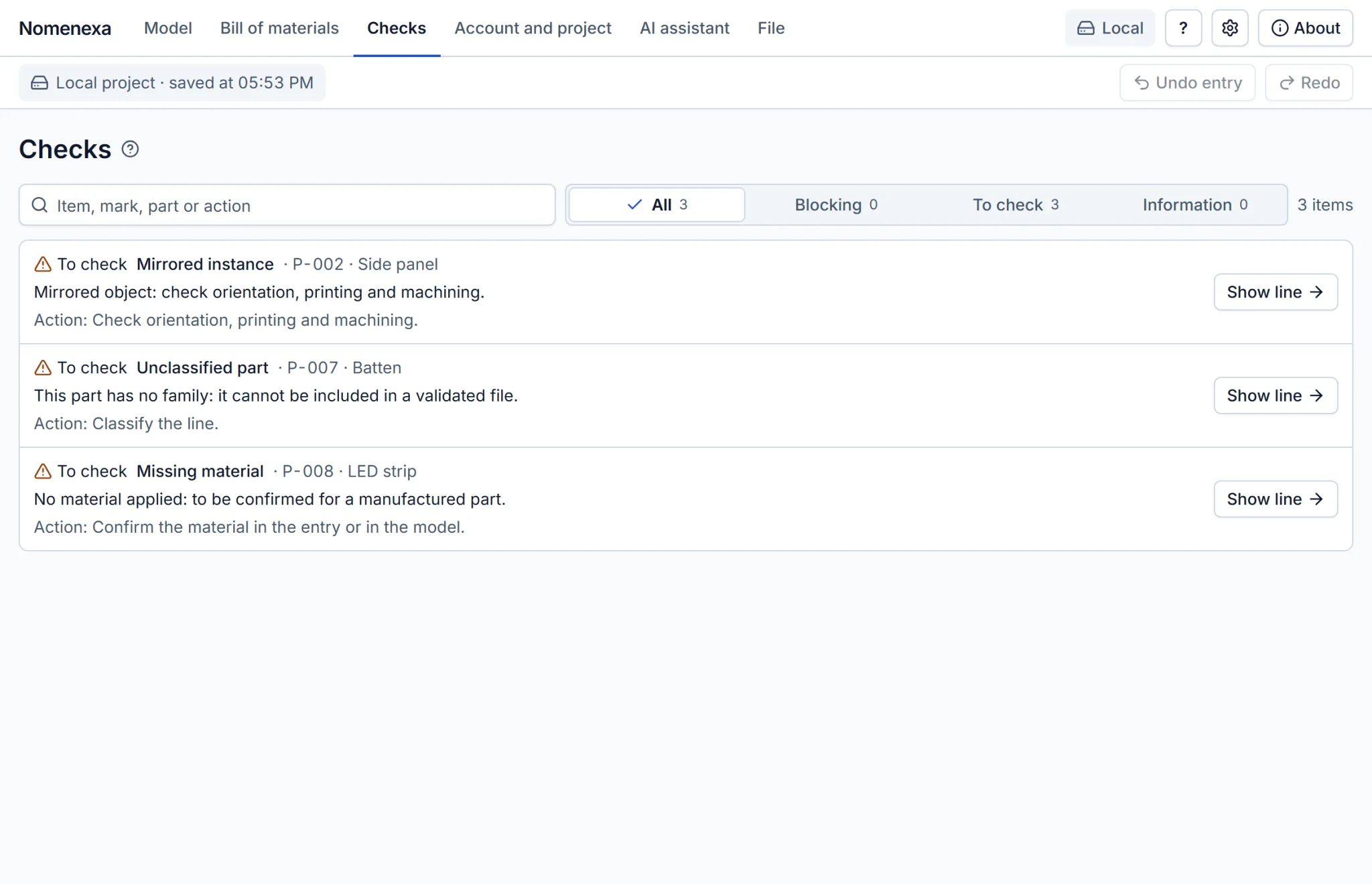
Fix what the checks flag
Unnamed parts, missing materials, mirrored instances, sheared transforms, loose geometry: each item names its part and the action to take.
-
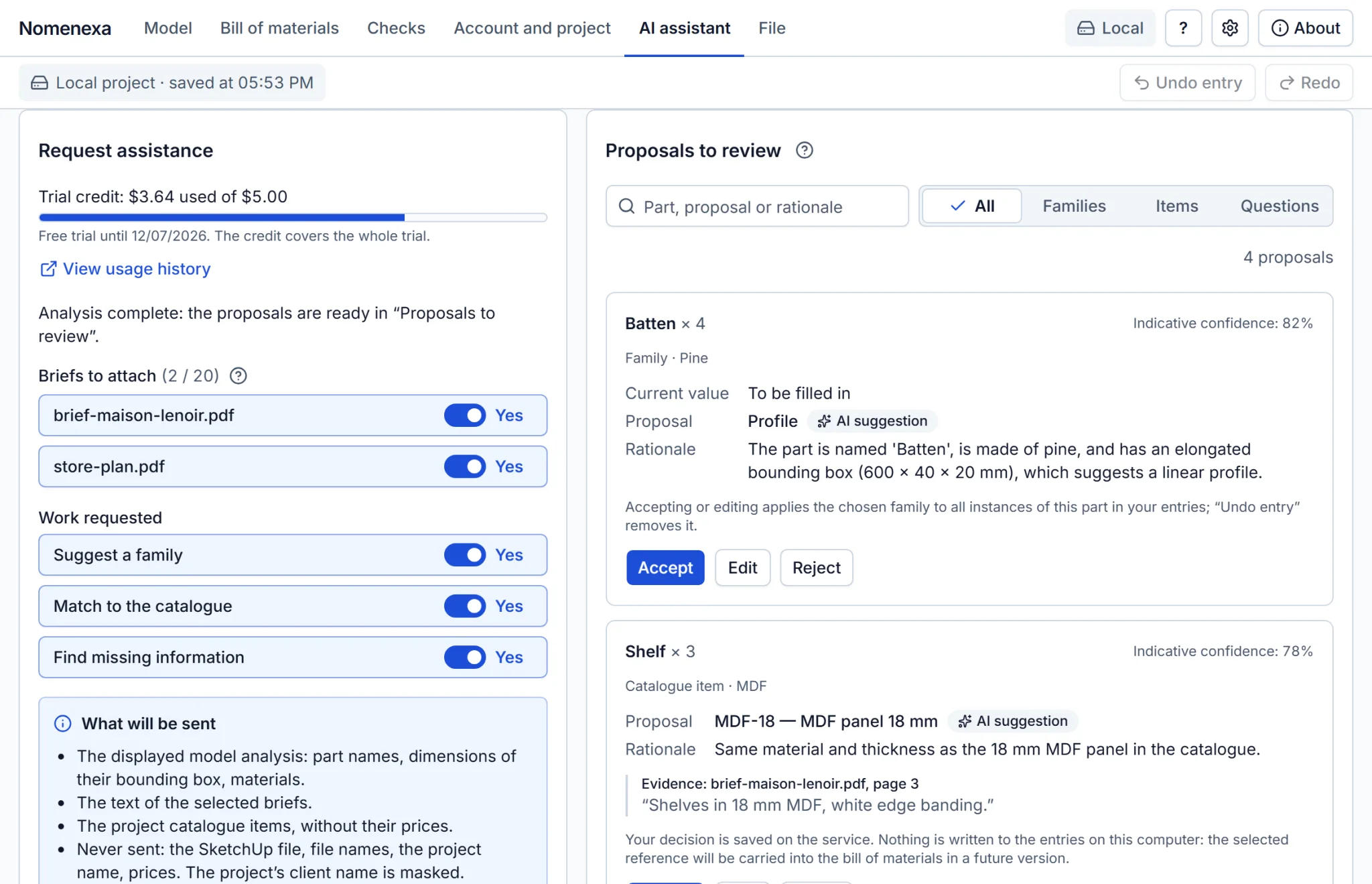
Let the assistant propose
With an account, AI assistance suggests a family, a catalogue item or a question to ask, with its reasoning and the brief excerpt it relies on. You accept, edit or reject each suggestion.
-
Validate and export
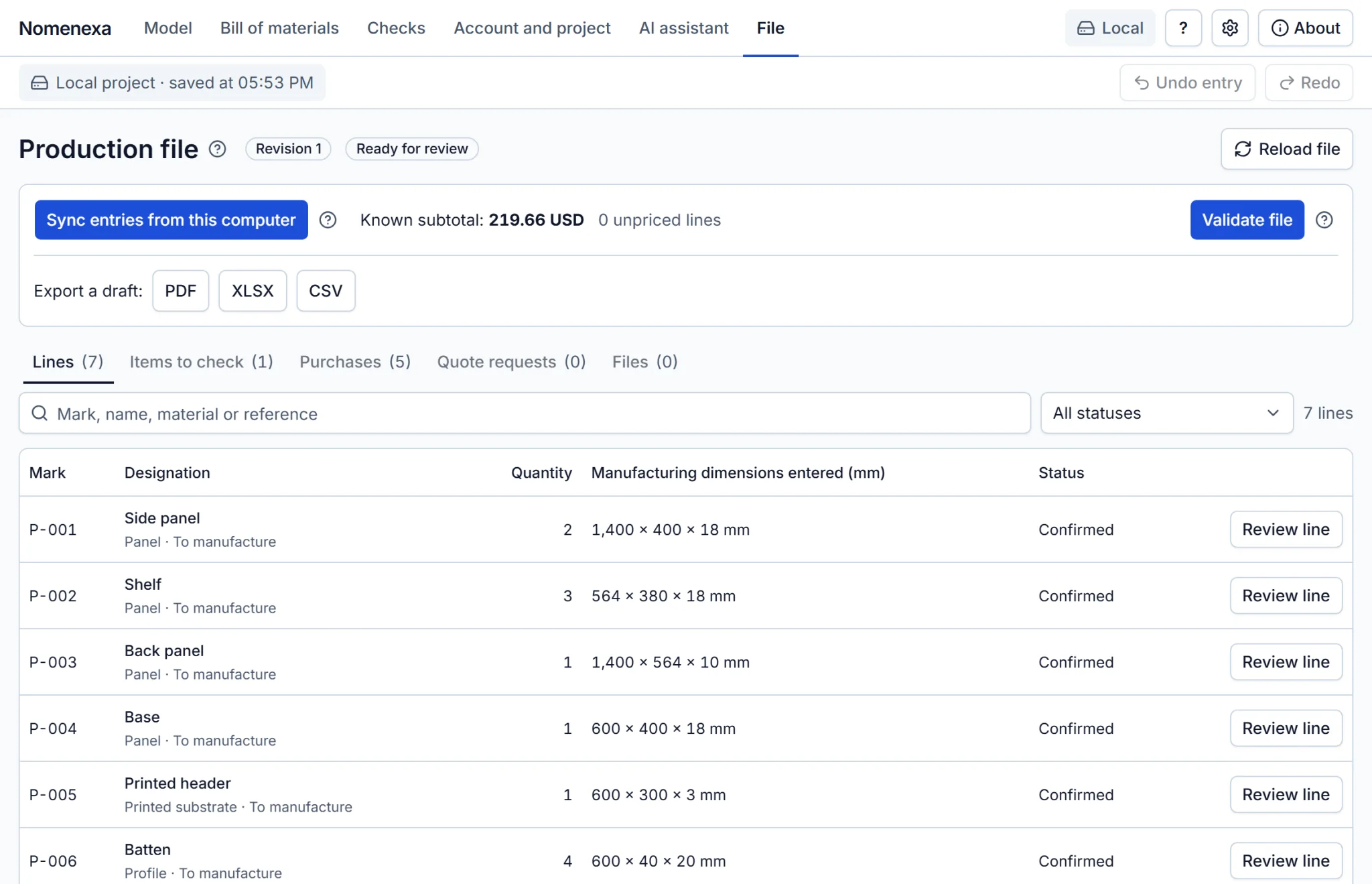
The workshop reviews each line, validates a revision and exports the production file as PDF, XLSX or CSV.
Free, offline, no account
Everything below runs inside SketchUp on your computer. Nothing leaves it.
Parts and assemblies
Parts and assemblies are listed and grouped into bill-of-materials lines with quantities.
Classification
Classify parts (panel, profile, printed substrate, hardware, lighting) and enter thickness, finish and references.
What needs fixing
Checks tell you what to fix before the file goes to the workshop.
CSV for your spreadsheet
Export the bill of materials as CSV, with the number format of your language.
13 languages
Interface, page guides and AI suggestions follow the language of SketchUp. You can choose another one in Settings.
Inches or millimeters
Lengths follow the unit of your model. Date and number formats follow the language and can be changed.
Installed in three steps
Download the package
The download button gives you the signed extension package, a .rbz file. It is free.
Install it in SketchUp
In SketchUp 2027, open Extensions > Extension Manager, click Install Extension and choose the .rbz file.
Analyze your model
Open Extensions > Nomenexa and click Analyze model. No account is needed.
One file for the whole workshop
With a Nomenexa account, the work is shared.
- Shared projects for the workshop.
- A versioned catalogue of supplies and client briefs (PDF or text).
- A production file reviewed and validated by the workshop: manufacturing dimensions, purchase list, price estimate.
- Exports as PDF, XLSX and CSV.
The online service is not open for sign-up yet.
AI proposes. You decide. The software calculates.
- Suggestions only: a family, a catalogue item or a question to ask, each with its reasoning.
- Nothing enters your file until you accept, edit or reject each suggestion.
- Dimensions, quantities and prices are computed by deterministic code, never by the AI.
- No order, e-mail or model change is ever sent automatically.
What leaves your computer, and what never does
Without an account
Nothing leaves your computer.
With an account
The service receives only what you send: project details, the model analysis, your catalogue and briefs. The SketchUp file itself is never uploaded.
AI assistance
It runs only on request and after your agreement. It sends part names, bounding-box dimensions, materials, the text of the briefs you select and catalogue items without prices to Anthropic's Claude model. The client name of the project is masked.
Questions
What do I need?
SketchUp 2027 on Windows or macOS (Apple silicon). An internet connection is only needed for the online service.
Do I need an account?
No. The model analysis, the bill of materials, the checks and the CSV export work on your computer, without an account and without a connection. An account is only needed for the online service.
How much does it cost?
The extension is free, and everything that works on your computer stays free. The online service will be a monthly subscription per workshop, starting with a free trial. It is not open yet.
Does Nomenexa give manufacturing dimensions?
No. Bounding-box measurements are descriptive. They never become manufacturing dimensions on their own: you enter those. An unknown value stays “To be filled in”, never zero.
Does Nomenexa change my model?
No. The analysis only reads the model: it never modifies or saves it.
Which languages are available?
English, French, German, Spanish, Italian, Brazilian Portuguese, Japanese, Korean, Simplified Chinese, Traditional Chinese, Russian, Polish and Swedish. Translations other than French were produced with AI assistance and have not yet been reviewed by native speakers; corrections are welcome. Documents generated by the online service, its website and its e-mails are in French only for now.
Where can I get it?
Download the signed package from this page and install it with the Extension Manager of SketchUp. Nomenexa is also being prepared for the SketchUp Extension Warehouse.
Want to try Nomenexa in your workshop?
The extension is free and works without an account. The online service is not open yet: write to us and we will keep you posted.