
PopWeaver: helpful popups and an AI assistant for Shopify, WooCommerce and PrestaShop
PopWeaver, the e-commerce app by fluidifia, shows the right message at the right time: notices, product help, quotes, newsletter. An optional AI assistant builds the campaigns with you. It is now available on Shopify, WooCommerce and PrestaShop.
Announcing a holiday closure, helping a shopper pick the right size, receiving a quote request together with the product it is about, growing a newsletter of subscribers who really said yes: an online store has a lot to say, and rarely the right tool to say it. PopWeaver, the e-commerce app by fluidifia, shows these messages and forms in the right place, at the right time, with no code, and with an AI assistant that can build the campaigns with you.
Launched on the Shopify App Store on November 11, 2026, PopWeaver is now also available for WooCommerce (WordPress) and PrestaShop. One app, the same admin and the same templates, whatever platform your store runs on. This feature walks through what it does, how you go from a need to a live message, and what the AI assistant actually brings.
Install PopWeaver
The free plan gives you one live campaign at a time, on all three platforms. Pick yours:
Shopify App Store WooCommerce plugin (ZIP) PrestaShop module (ZIP)
Helpful messages before promotional ones
Most popup apps were designed for one thing: showing a full-screen discount as early as possible. Yet a merchant who simply wants to announce a closure, explain a shipping delay or receive a quote request often has to patch several tools together, at the risk of getting in the way of the purchase and slowing the store down.
PopWeaver starts from the other end: inform, advise and receive requests. Its 16 business templates cover the everyday situations of a store, each with a neutral default message and no made-up perk:
- Inform: holiday closure, shipping delay, new collection, seasonal event, a real offer on a collection, a note in the cart;
- Advise: size guide, product question, compatibility, a mini quiz that points visitors to the right range;
- Receive: quote request, sample request, contact, quick review, newsletter sign-up with double opt-in.
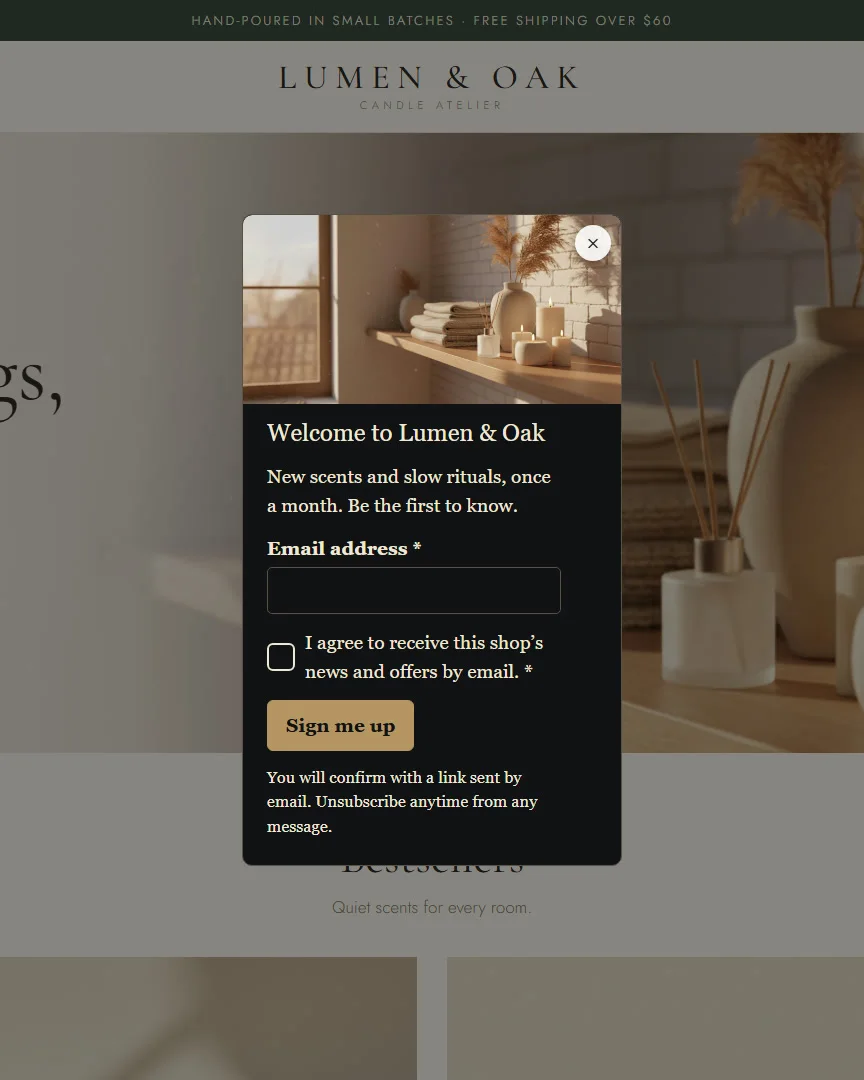
Each message appears in one of 7 formats: popup, slide-in, banner, side drawer, mobile bottom sheet, simple button, or a block embedded in the page. A holiday notice fits in a discreet banner; a size guide only needs a button on product pages; a mini quiz finds its place in a block on the home page.
From template to live message, in four steps
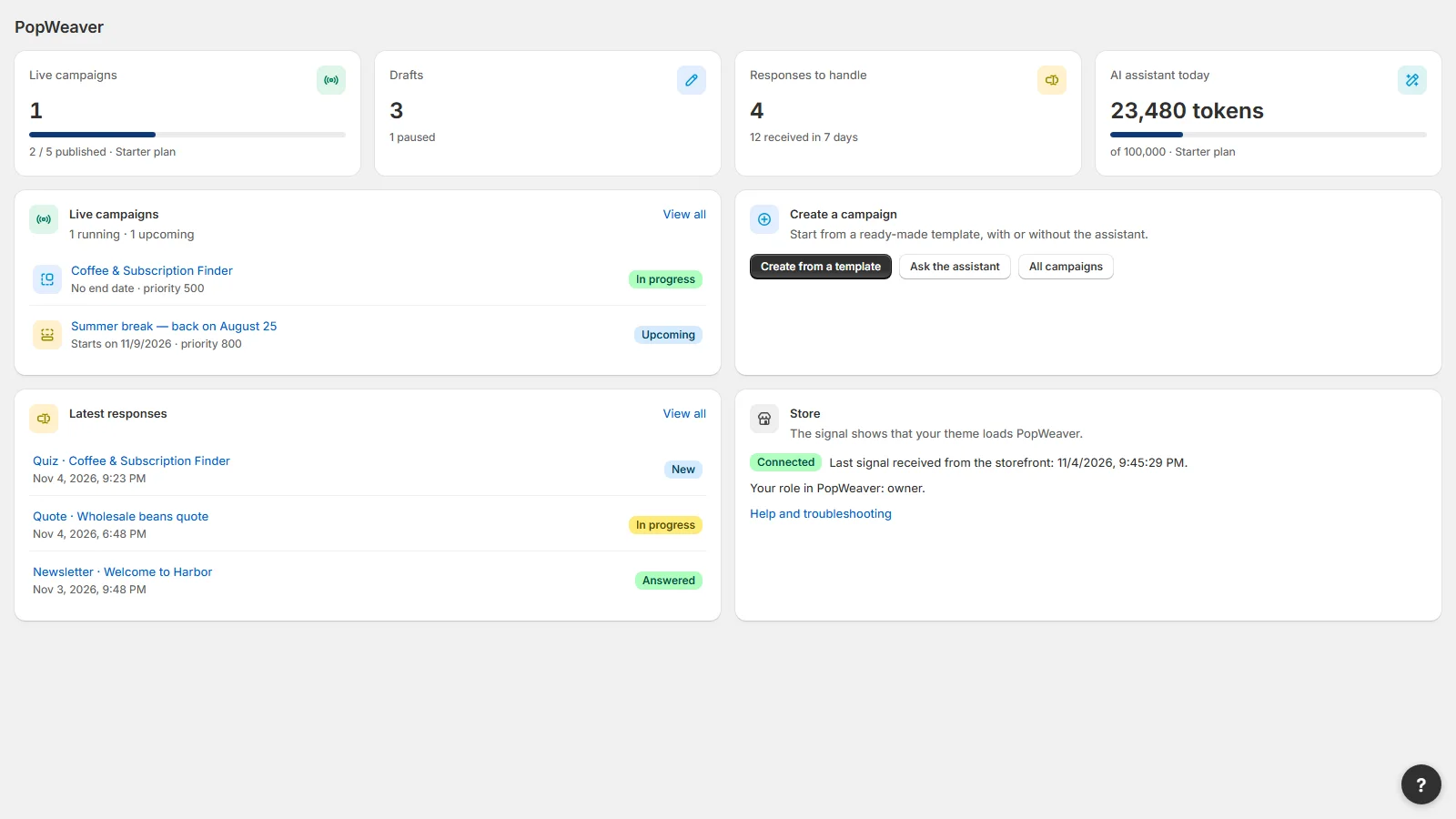
The admin follows the natural path of a campaign. At every step, the preview shows the result on desktop and on mobile, and nothing goes live until you click “Publish”.
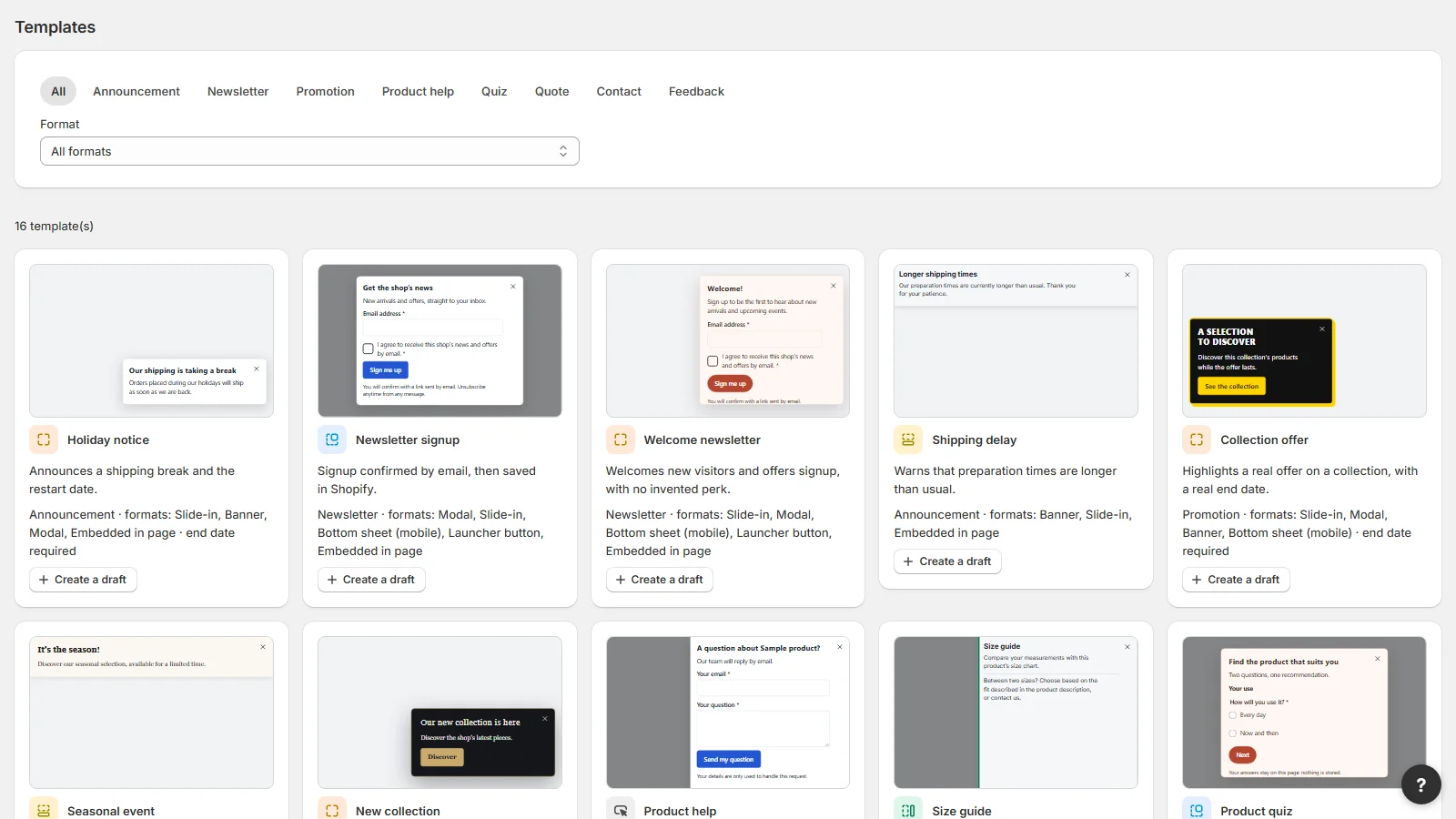
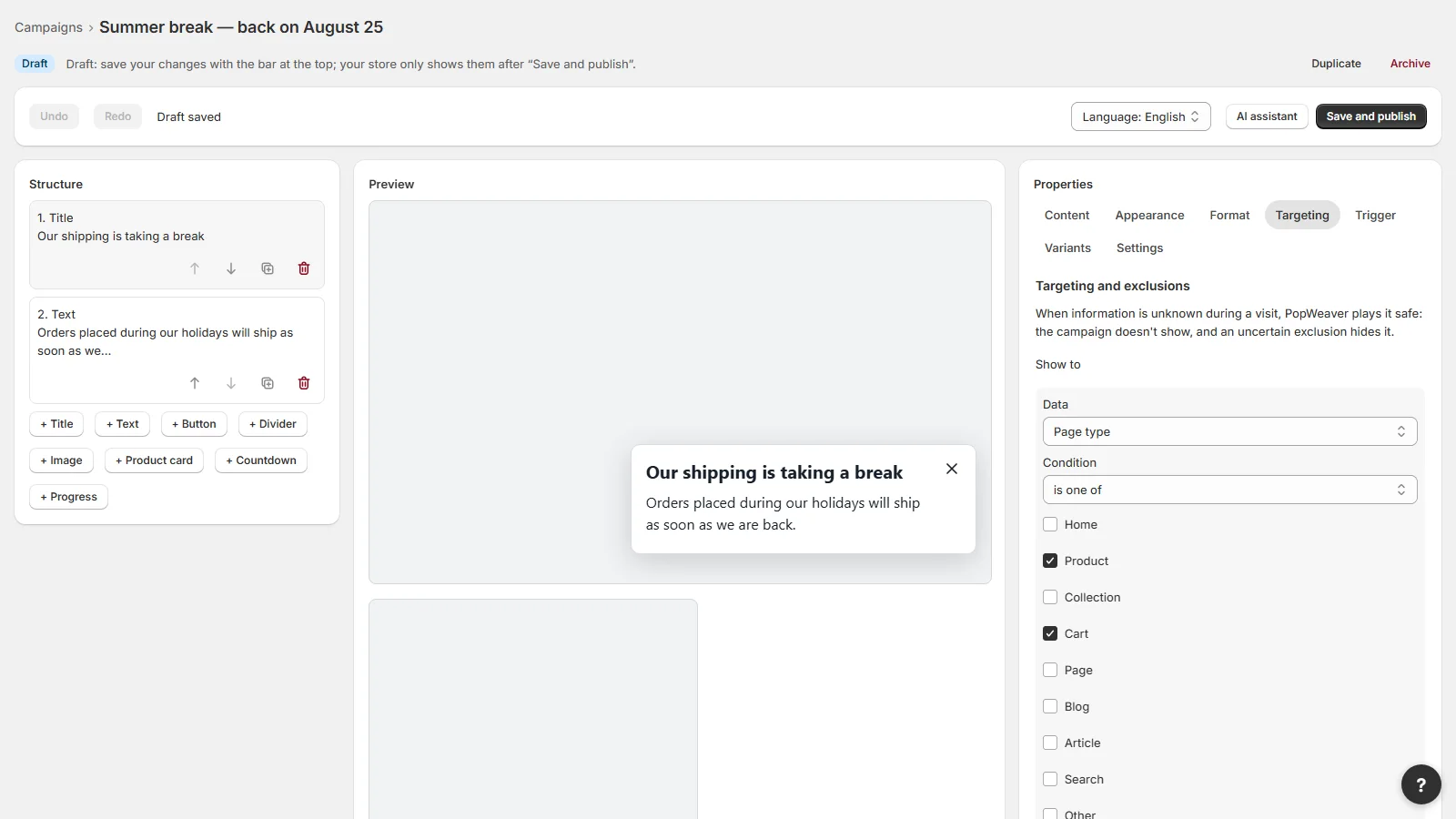
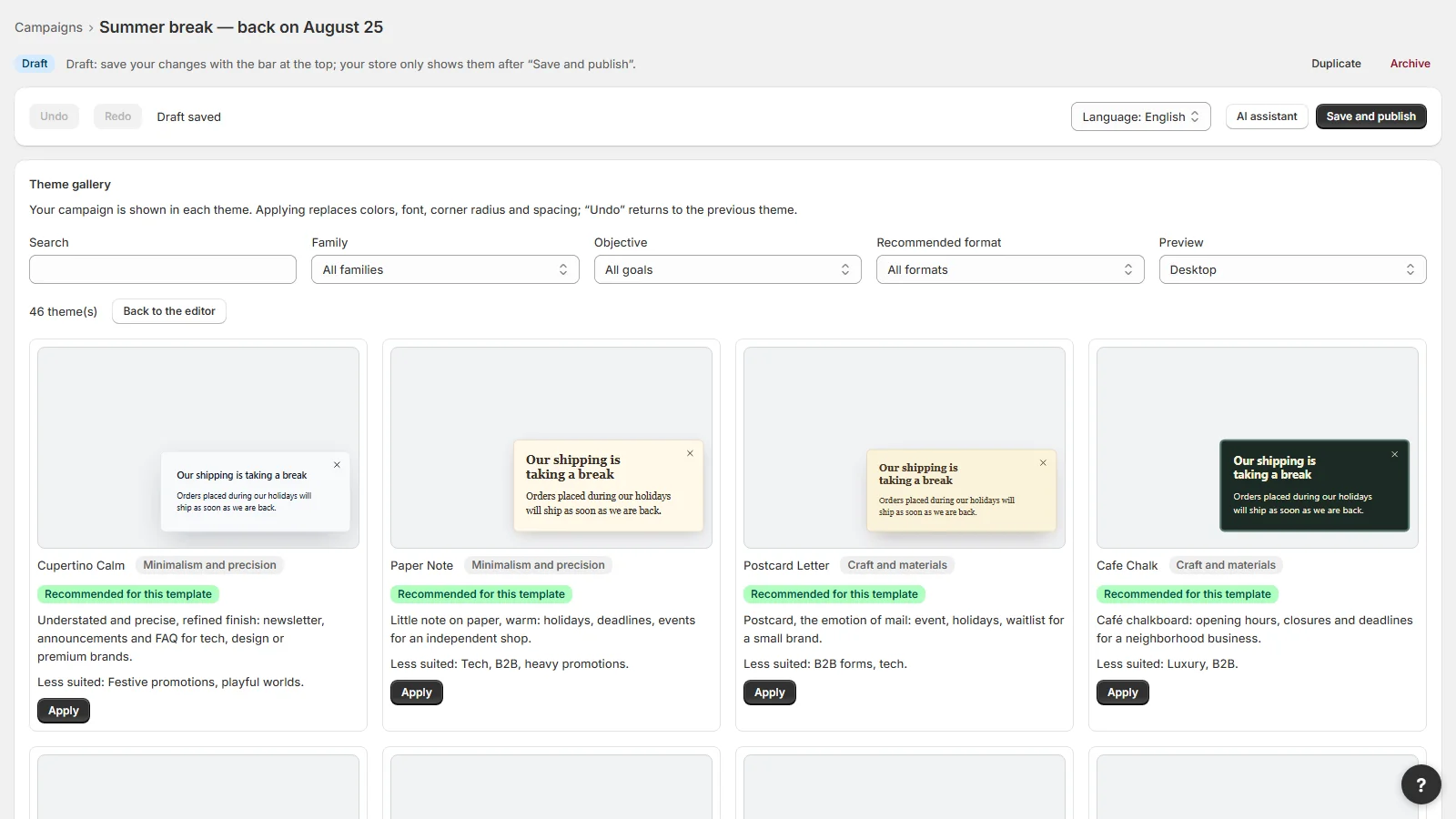
1. Start from a business template
You first choose what you want to say, not the shape of the window. The “Holiday announcement” template already has fields for the closing dates and the actual date shipping resumes; “Quote request” asks for the company, quantity and project. All that is left is to write your own words, or have the assistant write them.
2. Set where and when the message appears
Targeting works by page, product, collection, cart content, language, country and device. The trigger can wait a few seconds, for the visitor to scroll, or for exit intent. A campaign can be scheduled between two dates, in the store’s time zone, and stops on its own when the period ends: a holiday notice never stays online after you are back. A visit simulator explains why a campaign shows, or why it does not, on a given page. And when several campaigns target the same visitor, PopWeaver arbitrates between them so they never overlap.
A single campaign can adapt to every product page thanks to variables, such as the name of the product being viewed, and show different copy depending on the context.
3. Give it the store’s look
The gallery offers 60 themes, from the classic to the bold. Each one is previewed with your own message and can use images of your products or collections. One click applies a theme, another one takes you back.
4. Publish, then follow up
Publishing is always a deliberate action. The app’s home page then shows what is live, the responses received and what still needs handling. A short guided tour opens on each screen the first time, and the help button replays it at any time.
16business templates
7display formats
60one-click themes
14admin languages
10languages per campaign
3platforms: Shopify, WooCommerce, PrestaShop
The AI assistant: it suggests, you decide
Not every store knows exactly which campaign to create. PopWeaver’s assistant starts right there: describe what you need in your own words, or click a suggestion such as “Analyze my store and suggest suitable campaign ideas”.
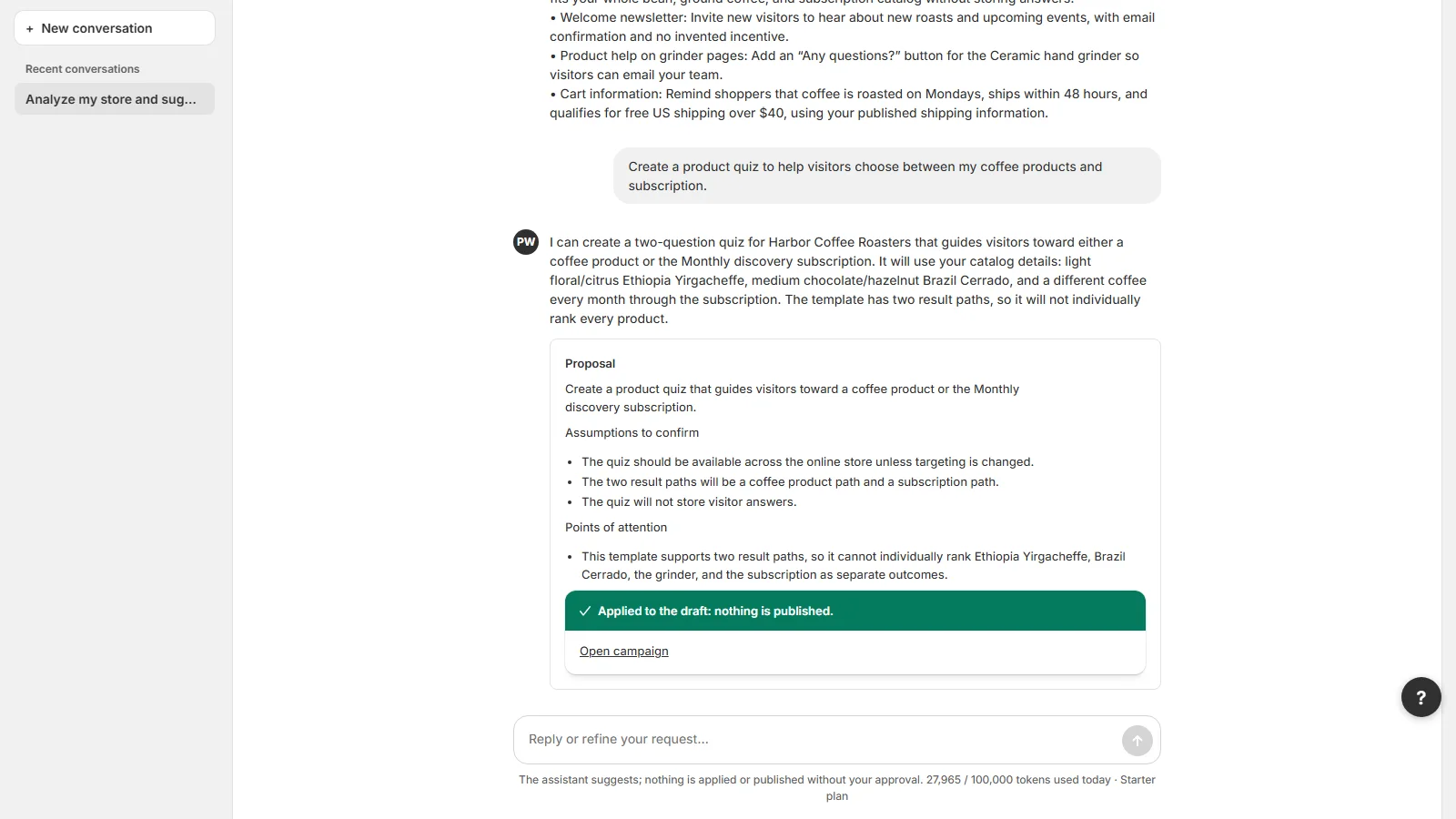
With your permission, it reads the store’s public catalog and pages (products, collections, Shipping or Returns pages), then:
- suggests suitable campaigns, as buttons: one click is enough to create the draft;
- writes the copy in the store’s language, based on what your own pages say rather than on invented promises;
- translates the campaign for your international visitors, in up to 10 languages, each shown in the visitor’s language;
- recommends a format and a style, and shows every proposal with its preview.
An example: going on holiday with peace of mind
The merchant simply writes: “I’m closed from December 22 to January 3, shipping resumes on January 5”. The assistant prepares a holiday announcement with the right period, in French and in English, suggests a banner on mobile and a slide-in on desktop, then a theme. One click creates the draft; the merchant reviews it, adjusts it and publishes. The notice shows as soon as it is published and disappears on its own after the return: customers know when their order will ship.
Clear safeguards
The assistant never publishes anything by itself: it creates drafts and makes proposals, and every change waits for your click. It is optional and can be turned off in Settings. It receives none of your customers’ data: it works on the store’s public content and on your conversation, whose messages are deleted after 30 days. Its usage is counted in tokens according to your plan, and the home page shows the day’s consumption.
Forms that keep their context
A form is only useful if you know what it relates to. In PopWeaver, a quote request arrives with the product and the variant it was sent from; a product question carries the product’s name; a sample request states the intended use.
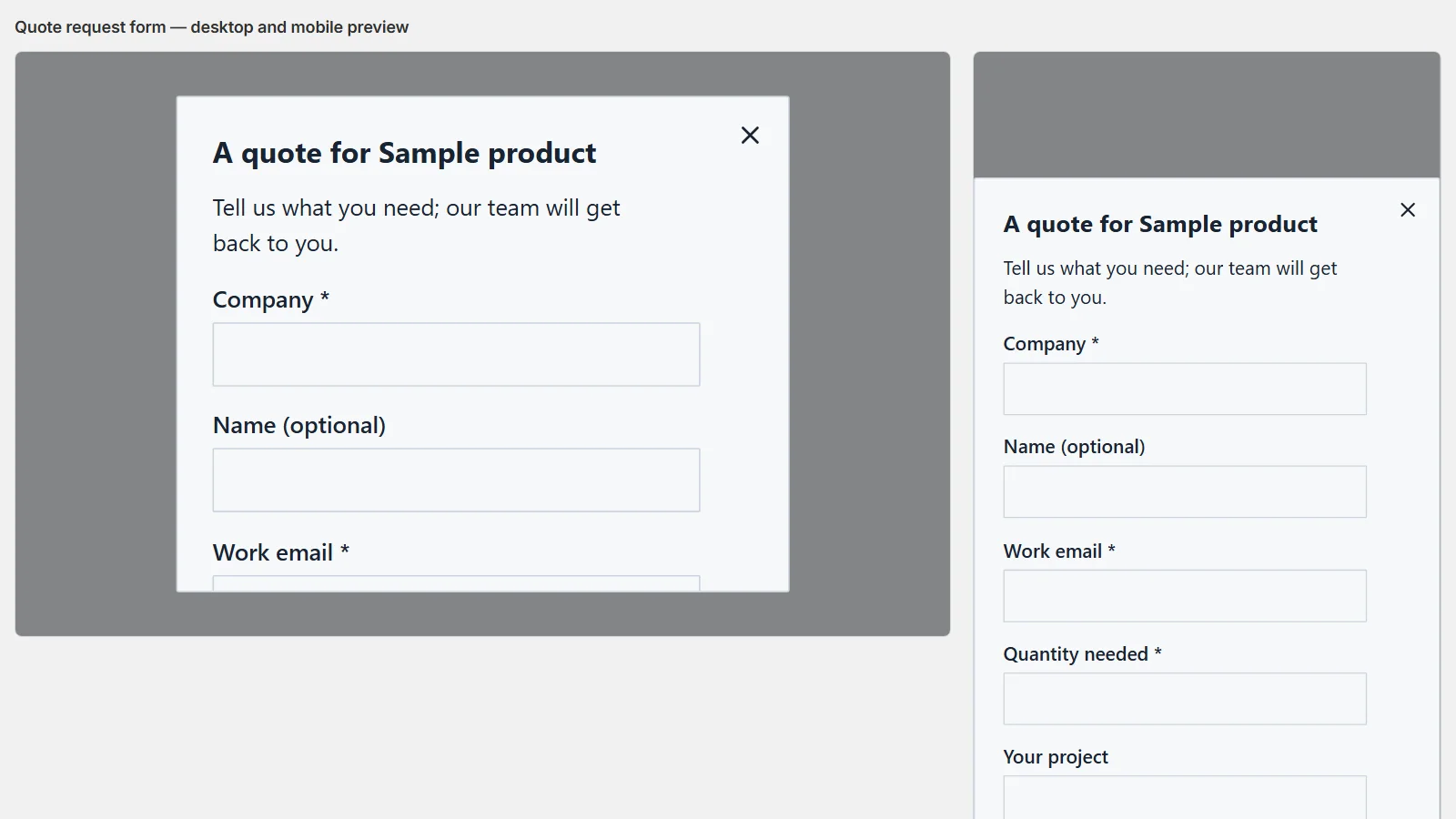
Every response lands in a built-in responses inbox: follow-up status, CSV export, an email notification for each new request, and deletion. Responses are encrypted and kept for a limited time.
For the newsletter, every sign-up goes through double opt-in by email, with a clear and separate consent. On Shopify, the customer is then marked as subscribed in the store, and a logged-in customer who is already subscribed no longer sees the form. On WooCommerce and PrestaShop, confirmed sign-ups stay in the responses inbox and in PopWeaver’s CSV export.
Shopify, WooCommerce, PrestaShop: one app
The WooCommerce and PrestaShop modules connect the store to the same PopWeaver service as the Shopify app. Templates, themes, the assistant and the responses inbox are the same; only the way you install them changes.
| Platform | Installation and specifics |
|---|---|
| Shopify | Install from the Shopify App Store, then turn PopWeaver on in the theme editor, without touching code. The admin opens inside Shopify. The mini quiz with product recommendations and adding subscribers to Shopify are specific to this version. |
| WooCommerce (WordPress) | WordPress 6.1 or later, WooCommerce 7.1 or later, PHP 7.2 or later. In WordPress: Plugins → Add New → Upload Plugin, then PopWeaver → Connect PopWeaver. The admin opens in a separate tab. For an inline format: the PopWeaver block or the shortcode [popweaver slot="your-key"]. |
| PrestaShop | PrestaShop 1.7.8, 8.x and 9.x. In the back office: Modules → Module Manager → Upload a module, then Configure → Connect PopWeaver. The admin opens in a separate tab. For an inline format: the widget {widget name='popweaver' slot='your-key'} in a template. |
For a merchant running several stores on different platforms, or moving from one platform to another, it is the same way of working, the same templates and the same assistant. The version 1.0.2 modules can be downloaded directly from the PopWeaver page, where the installation guide details every step.
Lightweight, accessible and respectful of visitors
A helpful message must not become an obstacle. On the store, PopWeaver starts with about 7 KB and only loads the rest when a campaign needs to show. If PopWeaver ever fails, shoppers can still buy.
- Every message can always be closed, with the mouse or the keyboard, and respects the system’s “reduced motion” preference;
- visitors’ consent choices are respected, and marketing consents are kept separate;
- no ad tracking, no fake countdown and no invented urgency: PopWeaver simply does not allow them;
- form data is encrypted, and all of a store’s data is deleted after uninstalling.
Plans and getting started
Every feature is included in every plan; only the number of campaigns live at the same time and the assistant’s daily usage change.
- Free: one live campaign at a time, on all three platforms, and the assistant for a first campaign (15,000 tokens a day, about one or two requests);
- Starter, $4.90 a month: 5 live campaigns, 150,000 tokens a day;
- Plus, $9.90 a month: 20 live campaigns, 300,000 tokens a day;
- Pro, $19.90 a month: 200 live campaigns, 1,000,000 tokens a day.
Paid plans, with a 7-day trial, are currently available and billed on Shopify; they will open later on WooCommerce and PrestaShop, where the free plan is already complete.
To get started: install PopWeaver on your platform, connect the store, pick a template or ask the assistant, check the preview, publish. The admin is available in 14 languages, including English, French, German and Spanish.
Try it yourself
A notice, a size guide or a quote request: a few minutes are enough to put your first helpful message online.
Learn more: PopWeaver on the Shopify App Store, the presentation page and installation guide. Questions: popweaver@fluidifia.com.

